


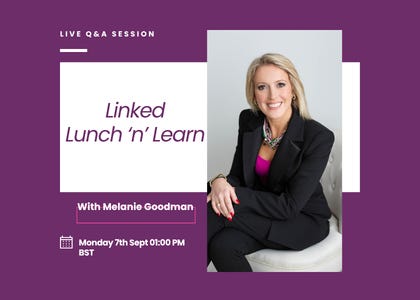
LinkedIn Lunch n'Learn Recording
Category: SciTech
Share
Archive
Like
TL;DR:LinkedIn changed the way it handles Artificial Intelligence (AI) content in late July. There is now a report button for posts that seem like AI slop, the first-draft writing tool has been retired, and images have started carrying a badge that records how they were made.
Today's Lunch and Learn worked through what each change does to your reach, what to alter about the way you draft, and everything else that has shipped on the platform this year. The full recording is below for premium subscribers.
You have almost certainly scrolled past a post this week and thought a machine wrote that.
Three tidy paragraphs. A neat closing question. Nothing in it that only one person could have written.
Until late July, that was your own private verdict, and it went nowhere. There is now a button for it.
LinkedIn did three things at once. It gave readers a way to report a post as AI slop. It switched off its own first-draft writer and put a proofreading tool in its place. It started showing a small badge on images that records which tool made them and whether AI was involved.
Any one of those on its own looks like housekeeping. Together they change what the platform rewards. They change it most for the people who are being most careful, because heavily reviewed writing is exactly the kind that loses its fingerprints.
That was the hour today.
What the report button actually does to your distribution, and which kind of post is most exposed to it
The drafting order LinkedIn now wants from you, and how to work that way without losing an hour to a blank page
What the CR badge on images really records, why it is not a watermark, and the one move that carries genuine risk under European Union rules that started to apply in August 2026
The questions members sent in this month: whether a weekly newsletter is a sensible plan or a trap, how to publish the same article on your website and as a LinkedIn newsletter without damaging your Search Engine Optimisation (SEO), whether newsletter video is worth the effort yet, the copyright risk of using screenshots from other people's websites in your posts under United Kingdom law, and how to make the LinkedIn Services page do some actual work
The screenshot answer surprised the room.
The publishing order answer is the one I would listen to first if you run a newsletter alongside a website.
The LinkedIn Lunch'n'Learn runs once a month. It is a conversation rather than a webinar, you send me your questions beforehand and I answer them on the call, and the recording comes here afterwards if you cannot make the hour. (Paid subscribers get both.)
For LinkedIn strategies straight to your inbox, you cansubscribe here.
Subscribe now
Watch today's session below 👇🏻
A note on cookies
Newshunt uses essential cookies to keep you signed in and to remember your language and country, so the site works the way you expect. With your permission, we'd also like to use analytics cookies to understand how people use Newshunt and improve it over time.
Accepting only affects analytics. To learn more, view our Privacy Policy or Terms & Conditions.
(0)Comments