


Pinterest Doesn't Have to Be This Hard
Category: SciTech
Share
Archive
Like
If Pinterest has ever felt like a lot of work for very little traffic, there's probably a reason. Most Pinterest advice assumes you need to create an entirely separate stream of content for the platform - new topics, another content calendar, endless pins, and spreadsheets to track all of it.
But if you're already publishing articles on Substack,content isn't what you're missing. You already have ideas, stories, expertise, and perspectives worth discovering. What you need is a simple way to help Pinterest understand what each article is about so it can place that article in front of people searching for it.
Subscribe for practical strategies to help you get visible, build authority, and turn your content into sustainable income - plus subscriber-only discounts on tools designed to make the entire process simpler.
This is where many people havebeen taught to do Pinterest backwards.Instead of starting with the work they already want to create and making it discoverable, they're told to begin with Pinterest keywords and create content to satisfy them.
Your Substack content should come first. Pinterest's job is to help the right people find it.
That distinction matters because much of what is taught about Pinterest begins in the opposite place.
You're told to research keywords first, choose what Pinterest wants you to create, build content around those terms, and then produce a steady stream of pins to support it. Before long, Pinterest isn't distributing your work. It is dictating your work.
For a coach, writer, creator, or spiritual entrepreneur, that is completely backwards.
The work you feel called to create should begin with you. It may come from a conversation with a client, something you've experienced, a question your audience keeps asking, or an idea you can't stop thinking about. That is where your most meaningful content comes from - not a list of popular search terms.
Once the article exists, Pinterest SEO helps you translate that idea into language someone might use when searching for it. You are not changing the heart of the article or stuffing it with keywords. You are creating a clear, searchable doorway into the work you already made.
That is what creating a pinintentionallymeans.
You're asking: What problem does this article help someone solve? What question does it answer? What desire does it speak to? How might the person who needs this idea describe what they're looking for?
The pin takes your answer and communicates it clearly to both Pinterest and the person scrolling through the results.
A Substack title can be clever, personal, intriguing, poetic, or designed to create an open loop with people who already know your work. A Pinterest headline has a different job. It needs to help a stranger recognize that your article contains something relevant to what they are searching for.
Suppose you write a personal article calledThe Day I Finally Stopped Trying to Get It Right. That may be a beautiful title for your existing subscribers, but Pinterest has very little context for understanding what it means. If the article is about how perfectionism keeps coaches from sharing their work, an intentional pin might say:
How Perfectionism Keeps Coaches From Being Visible
You haven't changed the article. You haven't allowed a keyword to dictate what you write. You have simply translated the article's value into language a new reader can recognize.
That same article could have several entry points. One pin might speak to perfectionism in business. Another might focus on the fear of being seen. A third might address why coaches procrastinate on publishing content. Each pin leads to the same article, but each helps a different person recognize why it matters to them.
You are not creating more content. You are making one piece of content more discoverable.
You don't need an entirely new visual brand for Pinterest either. You can start with the images you already create or select for your Substack articles. Substack actually makes images perfect for sharing on Pinterest.
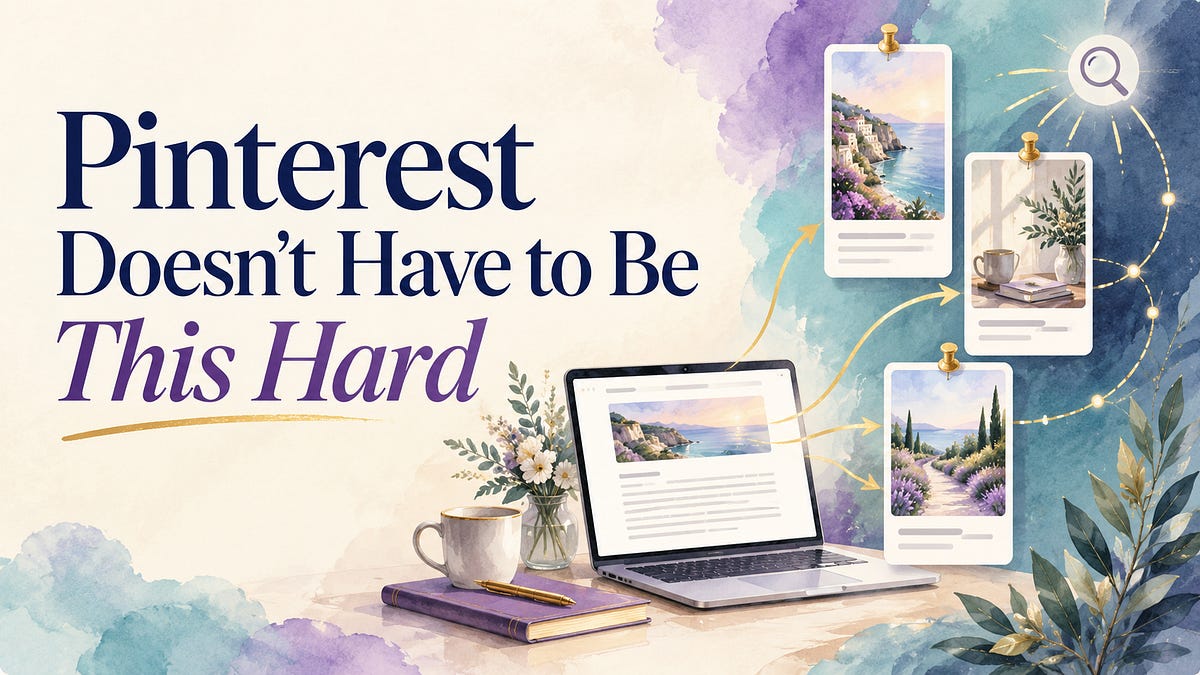
Or you can take the image that accompanies your article and place it into a verticalPinterest template.Add a clear headline that communicates the searchable idea inside the post, then use your own colors, fonts, and branding to make the pin recognizable as yours. Add a search-friendly Pinterest title and description, link it directly to the article, and save it to the board most closely aligned with the topic.
That is enough to begin.
You don't need to become a graphic designer or spend an hour creating every pin. You need a repeatable way to turn an existing Substack article and image into a clear path back to your work.
Grab September's FREE Templates
Many Pinterest systems make the platform feel far more complicated than it needs to be. There are elaborate scheduling systems, enormous content calendars, analytics dashboards, keyword databases, and color-coded spreadsheets tracking every pin across every board.
By the time you've finished organizing your Pinterest strategy, you've used all the energy you had for creating something meaningful.
The assumption underneath these systems is that more activity must produce better results. But Pinterest's own beginner guidance says thatquality and relevance matter more than frequencyand suggests that posting weekly can be a perfectly reasonable rhythm. Because Pinterest content can remain discoverable over time, your work has the opportunity to keep working after you publish it.Pinterest's beginner content guide
This doesn't mean you can throw up one random pin and expect instant traffic. It means you can stop treating volume as the strategy.
A small number of focused, properly aligned pins can create sustainable pathways to your content. Your job is to make those pathways clear - not to overwhelm Pinterest or yourself.
I want to pause here because I'm not approaching Pinterest as someone who tried it for a few weeks and decided everyone else was making it too complicated. I've been on Pinterest since its inception. I've worked as a Pinterest VA, studied just about every kind of Pinterest training sold online, and even created my own course teaching product creators how to use the platform. I've had pins go viral and watched them drive a tremendous amount of traffic.
So when I tell you Pinterest doesn't need to become another full-time job, I'm not guessing. I understand why many of the popular systems were created, and I've used plenty of them myself. I've also watched those systems become so complicated that the average coach, writer, or content creator gives up before Pinterest ever has a chance to work.
This is also why I don't recommend swap-for-swap pinning.
In those systems, you save someone else's pin because they have agreed to save yours. It creates activity, but the activity may have nothing to do with genuine interest or relevance. Their pin may not belong on one of your boards, and your content may have nothing to do with their audience.
You can end up filling your Pinterest account with disconnected content while attracting attention from people who were never interested in your topic. That may make the numbers move, but movement alone isn't the goal.
Visibility should lead somewhere.
You want the person who finds your pin to be interested in the article behind it. You want the article to lead them deeper into your body of work. You want the right readers to become subscribers, community members, clients, or customers.
A pin saved out of obligation doesn't necessarily create that journey.
InsideThe Intentional Pin, content is shared by relevant categories without required reciprocity. You can choose to save something because it genuinely fits your boards and would help your audience - not because you owe someone a pin in return.
That is the difference between manufactured activity and intentional visibility.
One of the hardest parts of Pinterest for beginners is knowing how to translate an article into a searchable pin. You know what you wrote, but you may not know which phrase to target, what headline to place on the image, what to write in the description, or which board should hold it.
That is why I created theIntentional Pin Tool.
You give the tool your Substack URL or paste in the article, and it identifies the searchable ideas already inside your content. It helps turn one article into seven intentional pin possibilities, each based on a different way the right reader might look for the information you shared.
The tool helps you identify:
The search intent behind each pin
A targeted Pinterest search phrase
Related Pinterest language
A clear headline for the pin image
An optimized Pinterest title and description
An appropriate call to action
The best-aligned board for the pin
Instead of choosing a Pinterest keyword and then creating an article to fit it, the tool begins withyour article. Your ideas remain in charge. The tool simply helps Pinterest understand where those ideas belong and helps the right reader recognize them.
It isn't writing your message for you. It is helping your message travel.
Members ofThe Intentional Pinalso receive eight customizable Pinterest templates each month. You can add your own Substack image, change the colors and fonts to match your brand, insert the headline provided by the tool, and create a professional-looking pin without beginning with a blank page.
The templates are not designed to make everyone's pins look the same. They give you a structure you can personalize so you can spend less time deciding where every word and image should go.
Together, the templates and the Intentional Pin Tool remove the two biggest points of friction:What should my pin say, and what should it look like?
You already did the most important work when you created the article.
We tend to think of a Substack article as new on the day it is emailed and old a few days later. Pinterest gives us a different way to see it.
Every article in your archive can become a doorway. A post you published three months ago may answer the exact question someone searches for today. A story you wrote last year may contain the perspective a potential client needs to understand why your work is different.
Your archive isn't a pile of content you've already used. It is a growing library of ideas worth discovering.
You don't need to create more for Pinterest. Choose something you have already written, identify the idea that will matter to the person searching, and create a clear path from Pinterest to that article.
Then do it again when you have another piece worth finding.
That is how Pinterest becomes simple, strategic, and sustainable. It supports the work you are already doing instead of demanding that you build another business around feeding it.
If you're ready to turn your existing Substack articles into intentional Pinterest traffic, come join us insideThe Intentional Pin.
You'll get eight customizable templates each month, simple setup strategy, the exact method most Pinterest Experts use to 'seo' their pins, the Intentional Pin Tool, practical resources, and a community built around relevant sharing rather than mandatory swaps.
You create the work. We'll help you make it discoverable.
With love & clarity,Jill Hart💜The Coach's Alchemist
Amplify Your Voice • Monetize Your Mission • Get Visible
Grab Your Free Pin Templates
The You World Order Showcase is a reader-supported publication. To receive new posts and support my work, consider becoming a free or paid subscriber.
A note on cookies
Newshunt uses essential cookies to keep you signed in and to remember your language and country, so the site works the way you expect. With your permission, we'd also like to use analytics cookies to understand how people use Newshunt and improve it over time.
Accepting only affects analytics. To learn more, view our Privacy Policy or Terms & Conditions.
(0)Comments